

GET ACCESS TO OUR AMAZING BLOG DIRECT TO YOUR INBOX
Get industry updates, tips, guides, training documents, white papers and much more direct to your inbox.
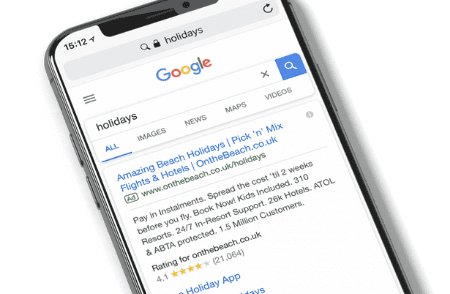
Understanding keyword match types remains fundamental to running successful Google Ads campaigns in 2026. Match types let advertisers control how closely a search query must align with their keywords to trigger an ad, balancing reach with relevance and cost efficiency.
Google Ads now offers four core match types, each serving a different purpose. Let’s break them down.
1. Broad Match
Broad match provides the widest reach but the lowest precision. No special symbols are required—just enter the keyword as-is.
How it works:
- Ads may show for synonyms, related searches, misspellings, and other relevant variations
- Your keyword doesn’t need to appear exactly in the search term for the ad to trigger
Example:
- Keyword: men’s shoes
- Matches searches like: buy men’s footwear
- men’s sneakers online
- athletic shoes for men
Use case: Great for discovery campaigns where you want to attract a wide audience.
2. Broad Match Modifier (BMM) [Deprecated in 2021, replaced with updated “Phrase Match” behavior]
Previously, the BMM allowed advertisers to require certain words in a search query using a + sign. Google Ads has since merged BMM functionality into updated phrase match, so you no longer need to create BMM keywords separately.
Updated approach:
- Modern phrase match now covers all searches that include the keyword (or close variants) while respecting word order and meaning
3. Exact Match
Exact match delivers the highest relevance but the smallest reach. Use brackets [ ] to designate exact match keywords.
How it works:
- Ads trigger only when search terms match your keyword exactly (order and words must align)
- Close variants like plurals, misspellings, and stemming are automatically included
Example:
- Keyword: [men’s shoes]
- Matches searches like: men’s shoe
- mens shoes
- But not:
- buy men’s shoes (additional words may prevent triggering depending on context)
Use case: Ideal when you want maximum control and want to minimize irrelevant clicks.
4. Phrase Match
Phrase match ensures that the keyword appears in the search query in the exact order you specify, though additional words can appear before or after. Use quotes ” ” to designate phrase match.
How it works in 2026:
- Includes close variants like plurals, misspellings, and stemming
- Words must appear in order, but extra words are allowed before or after
Example:
- Keyword: “men’s shoes”
- Matches searches like: buy men’s shoes online
- men’s shoes near me
- best men’s shoes for running
Use case: Balances reach with relevance, ideal for campaigns targeting specific product searches.
Close Variants
Close variants include:
- Spelling errors (shoe → shoes)
- Plurals/singulars
- Stemming (run → running)
- Accents or abbreviations
Key points:
- Automatically applied to exact and phrase match types
- Saves you from adding multiple keyword variations manually
- Synonyms are not included
Example:
- Keyword: “shoes”
- Close variants match searches for: footwear, sneakers, sandals
Key Takeaways for 2026
- Broad match = widest reach, great for discovery campaigns
- Exact match = most precise targeting, reduces irrelevant clicks
- Phrase match = flexible middle ground, now includes BMM functionality
- Close variants = automatically cover misspellings, plurals, and stemming, so keep them enabled
By understanding how these match types function, you can strategically assign keywords to balance reach, relevance, and ad spend, ensuring your Google Ads campaigns are optimized for conversions in 2026.